AI pixel art maker for sprites, items and scenes

This pixel art maker draws on a real pixel grid. Describe a character, an item or a small scene and it returns a sprite at the exact size you pick, with a limited palette and crisp edges instead of a blurry picture shrunk down. If you already have a photo, switch to Photo → pixel art and the same studio redraws it in the look you choose.

Last updated:

Your sprite appears here.

Describe one subject: what it is, its colors and the view (side, front, top-down).

Model
Sprite Fast
Cost
26 credits
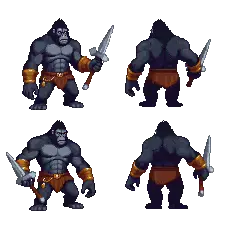
Pixel art character sheet of a gorilla warrior from four sides, on a clear background
Prompt: Gorilla worrior
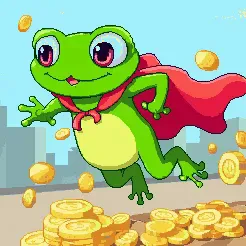
Pixel art of a caped frog leaping over piles of gold coins
Prompt: superhero frog leaping with cape billowing collecting coins
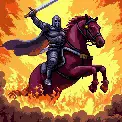
Pixel art of a knight on a rearing horse with a raised sword, surrounded by flames
Prompt: knight on horse emerging from flames creating shockwave slash effect
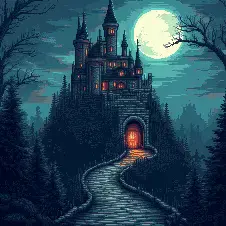
Pixel art of a castle on a forested hill under a full moon
Prompt: A Transylvanian castle on a hill top at night

Good for

  • Characters, enemies and items for a game prototype
  • Icons and small props on a transparent background
  • Pixel scenes and backgrounds for a post or a header
  • Turning a description into a starting point you then edit by hand

How to use it

  1. 01

    Describe it

    Write one subject with its colors and view, for example "a small knight with a blue shield, side view".

  2. 02

    Pick model, style and size

    Choose a model and one of its styles, then 64, 128 or 256 px. Turn on a transparent background for game assets. The cost shows before you start.

  3. 03

    Download

    The sprite appears in the studio, usually within a minute. Download the PNG and scale it up by whole numbers to keep pixels sharp.

Why a pixel model beats a shrunk picture

Shrinking an ordinary AI image to 64 px blends colors together and leaves soft, muddy edges. The sprite models used here are trained to place each pixel on the target grid, so outlines stay one pixel wide, the palette stays small and the result can go straight into a game engine.

Choosing a size

64 px suits icons and small characters, 128 px gives room for faces and equipment, and 256 px is for detailed characters and small scenes. Bigger sprites cost a few more credits; the price table on this page lists every size.

What it costs

Photo → pixel art costs the same for every look. Sprites cost by model and size. The pixelate tool is free. See credit packs

Credits per job by model and size
ModelSizeCredits
Nano Banana 2.1Photo → pixel artAbout 1K, keeps your photo’s shape26
GPT Image 2Photo → pixel artAbout 1K, keeps your photo’s shape39
Sprite FastSprite from text64×64 px26
128×128 px26
256×256 px36
Sprite PlusSprite from text64×64 px36
128×128 px44
256×256 px75

Questions

Is the pixel art maker free?

Making a sprite uses credits, and the cost shows before you start. The free pixelate tool on the home page costs nothing and needs no account.

Can I use the sprites in a commercial game?

Yes, for descriptions that do not copy someone else’s character or trademark. See the Terms for the details.

Can it make a full animation sheet?

Not frame by frame. One style draws a character from several sides on one sheet, which is a good base, but animation frames still need hand editing.

Why does my sprite look different each time?

Each run draws a new picture from your description. Run it again or make the description more specific to steer the result.